Expertise guide

New: Personalize Your SMS & WhatsApp with Excel Import

Learn how to import your Excel or CSV files to EnvoiSMS.ma and automatically personalize your messages using dynamic variables custom1, custom2, and custom3.

dynamic fieldsexcel import smspersonalize sms moroccowhatsapp campaign

1. What is personalization with dynamic fields?

Generic communication is a thing of the past. To maximize the impact of your SMS and WhatsApp campaigns in Morocco, EnvoiSMS.ma introduces smart import with dynamic fields. You can now send unique messages to each recipient containing their name, a specific order number, an amount due, an appointment date or a city, simply by importing your usual contact Excel file.

2. Step 1: Prepare your Excel file

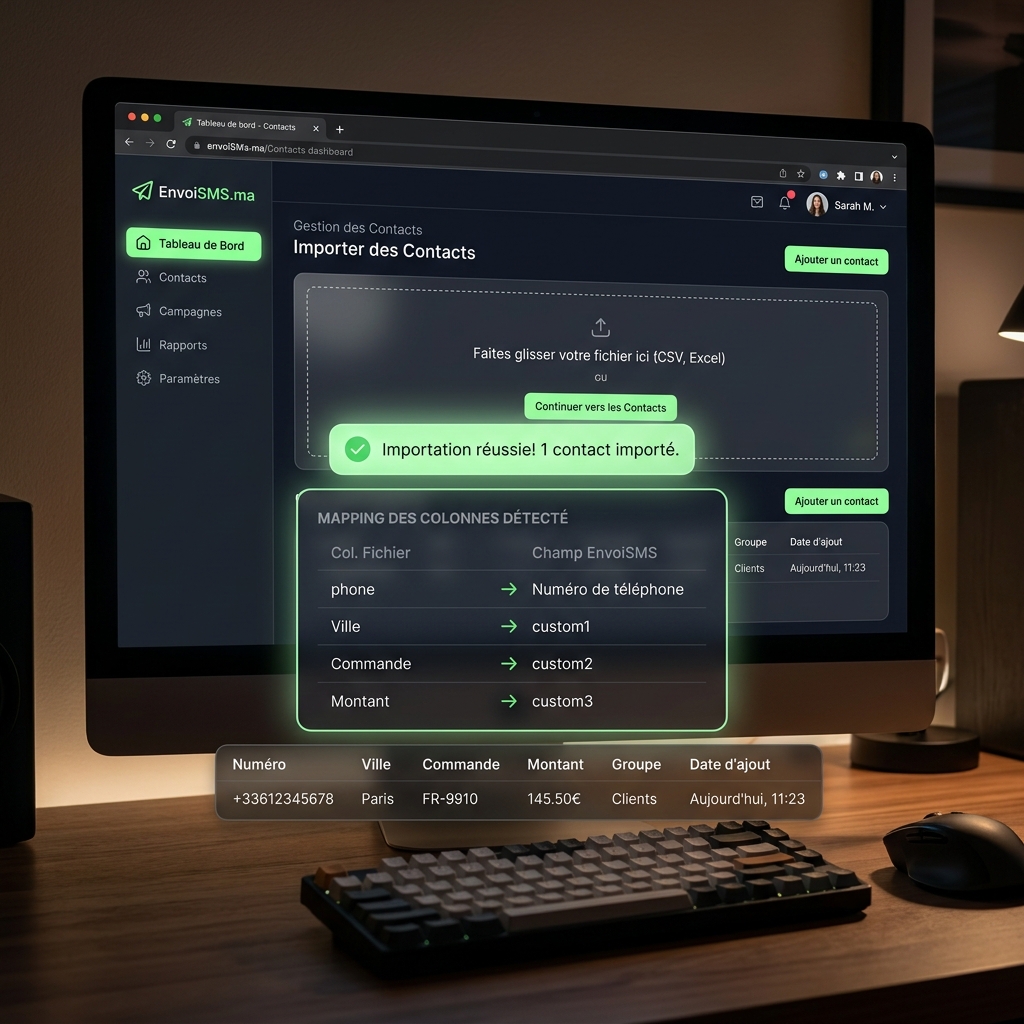
Configuration is extremely simple: create an Excel (.xlsx) or CSV file. The first row must contain your headers. Use 'phone' for the phone number, 'name' for the name, and add up to 3 additional custom columns according to your needs (for example: City, Order, Amount). The following rows will contain your customer data.

2. Step 1: Prepare your Excel file

3. Step 2: Import and let the tool do the mapping

Select your file in the EnvoiSMS.ma console. The tool automatically analyzes your document and previews live the mapping of your custom columns with the dynamic tags {{custom1}}, {{custom2}}, and {{custom3}}.

3. Step 2: Import and let the tool do the mapping

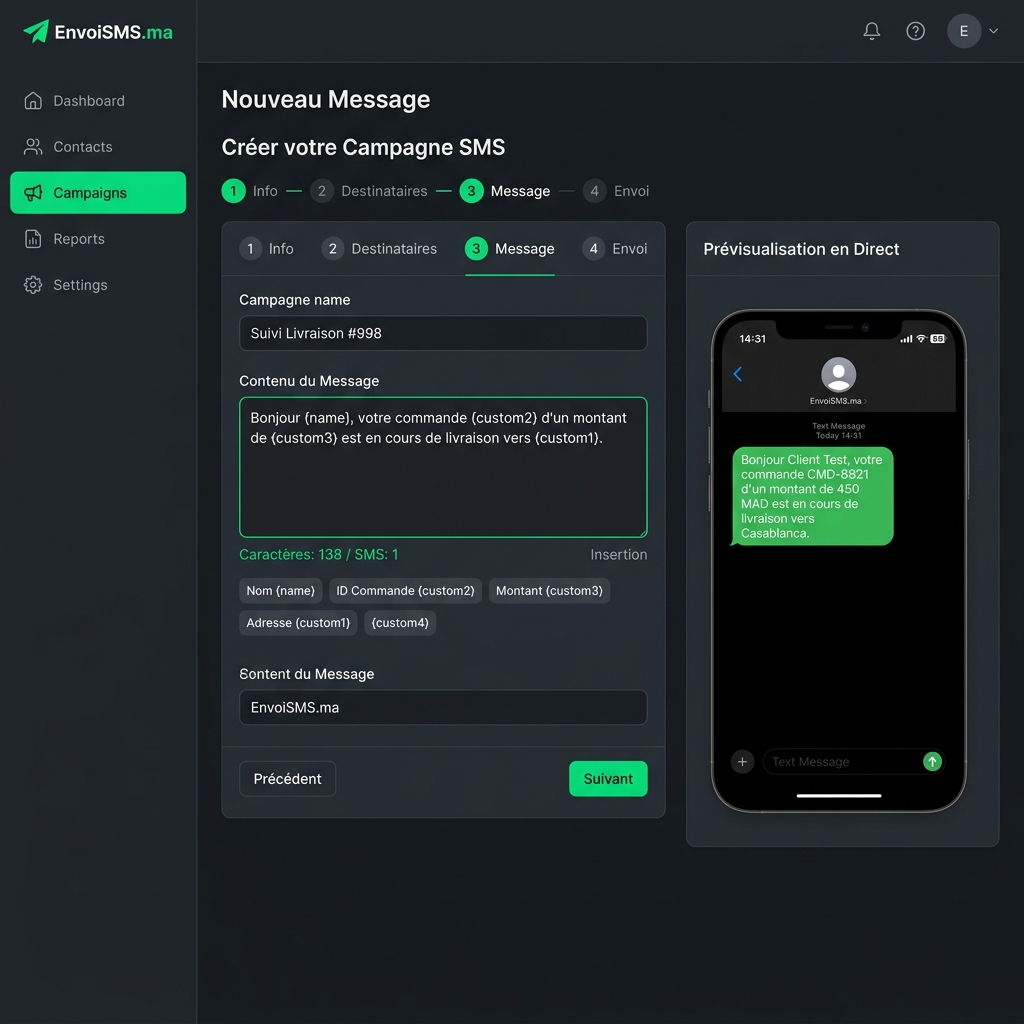
4. Step 3: Compose your personalized campaign

In the message editor, simply insert your dynamic variables between double curly braces. For example: "Hello {{name}}, your order {{custom2}} of amount {{custom3}} is on its way to {{custom1}}." Our live simulator shows the exact rendering of the message received on the customer's phone.

4. Step 3: Compose your personalized campaign

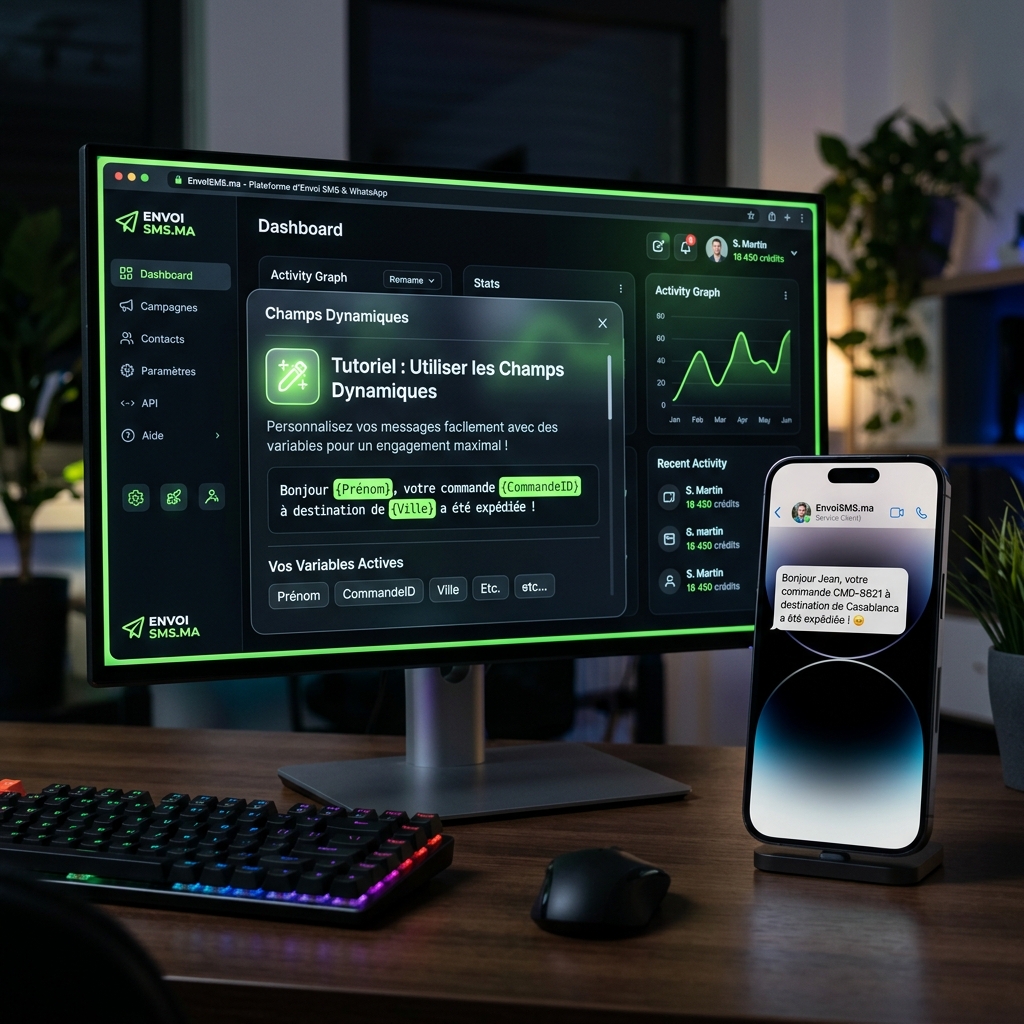
5. Step 4: Final rendering of the received message

Each customer receives a tailored message, which significantly improves conversion rates and customer engagement.

5. Step 4: Final rendering of the received message

💡 Why choose EnvoiSMS for your business?

Critical Delivery

Under 4 seconds for OTP codes via direct routes.

💰

Cost Optimization

WhatsApp Business API at only 0.13 MAD per session.

🛡️

Sovereign Data (CNDP)

Hosting compliant with Moroccan data protection regulations.

How many custom variables can I use?
You can import and use up to 3 additional dynamic variables (custom1, custom2, and custom3) per contact, in addition to name and email.
Does this work for WhatsApp and SMS?
Yes, dynamic variables are supported for both channels (SMS and WhatsApp) when broadcasting your campaigns.